
Scaling local AI: from one server to a cluster
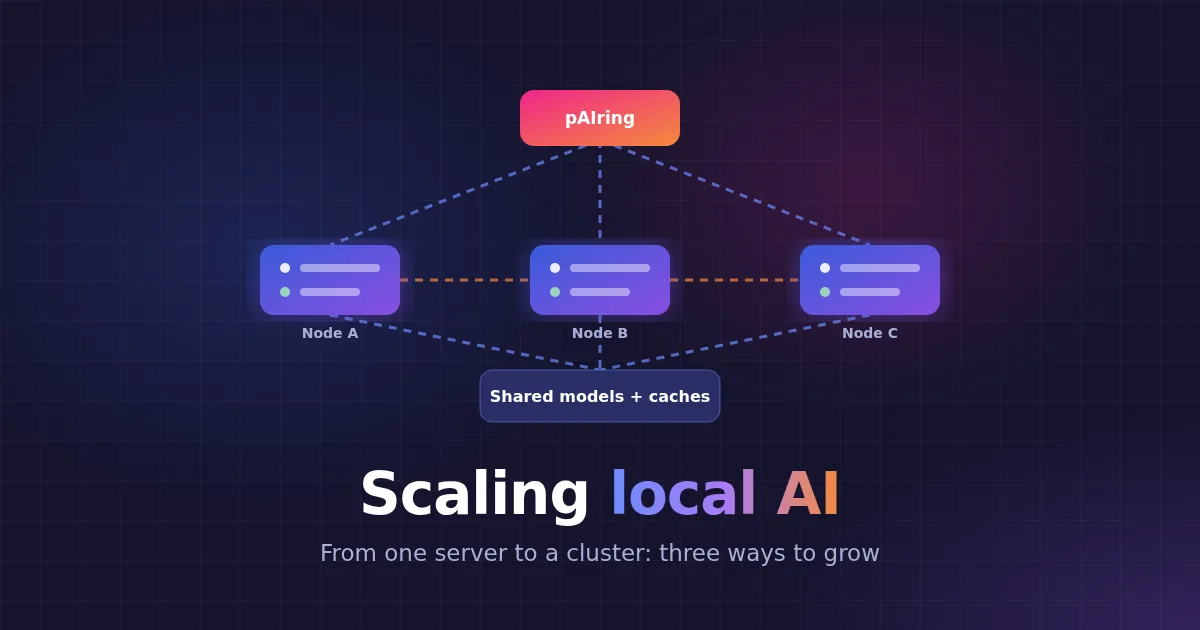
Most private AI setups start on one server, and that is the right place to start. But as more people use it, replies slow down, and one machine becomes one point of failure. This post walks through the signs that it is time to grow, and the three ways to do it with pAIring and Matricxon.
Two jobs, one heavy
A private AI workspace does two very different jobs:
- The app. The web interface, users, chats, documents and the database. This is light work.
- The inference engine. It loads the models and writes the replies. This is the heavy work: lots of RAM and a fast CPU or GPU.
Scaling is mostly about the second job. The question is simple: do both jobs on one server, or move the heavy one to other servers?
Signs that it is time to grow
- Replies slow down at busy times. Users share one server, so more people means slower replies for everyone.
- The models you need do not fit together. Every model you offer must fit in one server’s memory. (For the sums, see How much RAM do you need to run an LLM?)
- Downtime hurts. If the server stops, everyone stops.
If none of these is true yet, stay on one server. It is the simplest setup to run, and the move later is a setting in the UI.
Stage 1: one server
Everything runs on one machine: pAIring, the engine (llama.cpp or Matricxon) and the models. pAIring installs, starts and stops the engine for you.
Browser ───► ┌────────────────────────────────┐ │ One server │ │ pAIring + engine + models │ └────────────────────────────────┘Good for: home use, a small team, a lab or a demo. Tip: offer only the models that fit in memory together, and keep them loaded, so nobody waits for a model to load.
Stage 2: separate inference servers
The first step up is to keep pAIring as the app and move the heavy work to engine servers. In Settings → Inference engines, set the mode to Remote and add each server’s address. pAIring then:
- checks that each server is healthy,
- picks a server for each request,
- skips a failing server for about 30 seconds and uses another one,
- sends a follow-up message back to the server that already holds that chat’s cache, so it does not have to read the conversation again.
┌─► Engine server A (own models, own cache) Browsers ─► pAIring app ──┼─► Engine server B (own models, own cache) └─► Engine server C (own models, own cache)This works with llama.cpp and with Matricxon, on any mix of hardware, and the pAIring server no longer needs much RAM.
The catch: nothing is shared. Each server has its own models, so you install the same models on each one. Each chat’s cache lives in the memory of the server that handled it. When that server is busy, pAIring has two poor choices: wait for it, or send the message elsewhere, where the whole conversation must be read again. For long chats on a CPU, that re-reading is the slowest part of all.
Good for: adding capacity cheaply, failover, mixed hardware, or llama.cpp setups.
Stage 3: a Matricxon cluster
A cluster removes that catch. Several Matricxon nodes work as one group that shares two things:
- One models folder. Every node can load every model, and a model is pulled once for the whole cluster.
- One folder of saved chat caches. A chat’s cache is saved to shared storage, so any node can pick it up and continue with no re-reading.
┌─► Node A ─┐ Browsers ─► pAIring ────┼─► Node B ─┼──► Shared folders └─► Node C ─┘ (models + chat caches)Because any node can continue any chat, pAIring can send every message to the least busy node. That is real load balancing, and it keeps replies steady when many people chat at once.
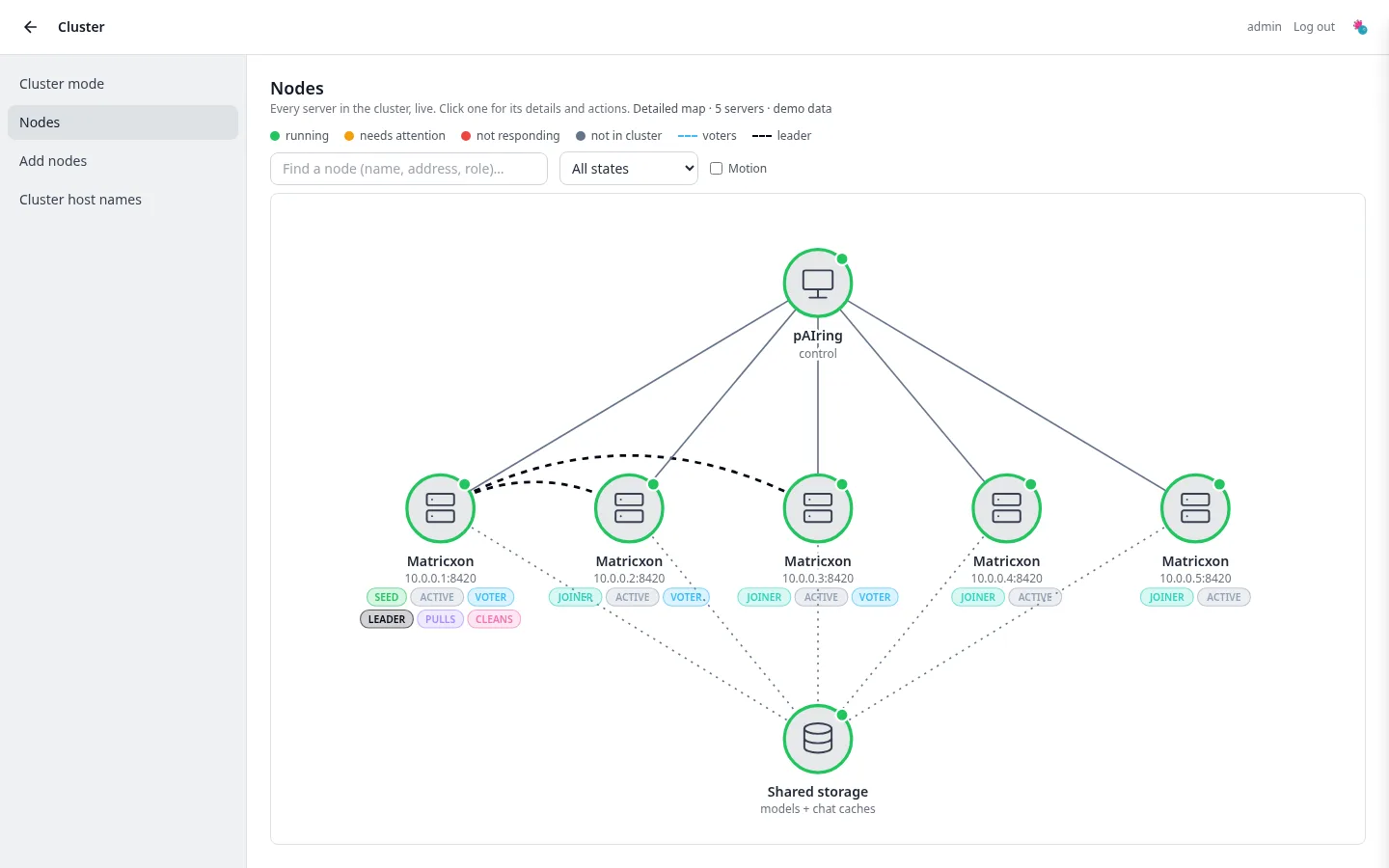
The nodes agree on who is in the cluster with Multi-Paxos, built into Matricxon, so no outside service is needed. By default, 3 nodes vote, and the cluster keeps working if one of them fails. Nodes can also be voter only: small machines that help decide but never load a model. Only membership and settings go through this agreement. Model files and chat caches never do.
You manage it all from pAIring’s Cluster page, which includes a live map of every node:
Good for: a team or organization that needs steady speed with many users, and failover without losing chats.
Planning a cluster
- Shared storage. Both shared folders must be a network filesystem that every node can reach, such as NFS or Ceph. Models load over the network, so a fast network makes the first load of a model much quicker.
- Fresh nodes. A cluster grows from one existing Matricxon (the seed) by adding fresh installs. Nothing is merged, so history never diverges.
- At least 3 nodes if the cluster must survive one failing.
- A private network. Keep the nodes on their own network, and set an admin secret so admin actions must be signed.
- It is in BETA. Cluster mode is designed for hundreds of nodes, but only small clusters have been tested so far, and details may change between versions.
The step-by-step guide is in the pAIring cluster docs, and the engine side is in Matricxon cluster mode.
Scaling the app too
The app is light, but it can grow as well:
- Several copies on one server. pAIring has a built-in balancer, set under Settings → System → Proxy mode.
- Copies on several servers. Put a reverse proxy such as Nginx or HAProxy in front, and use MySQL so they share one database.
Need a burst of extra power?
A cloud connector adds an engine that runs on a cloud GPU service, such as Cloudflare Workers AI, Amazon Bedrock or RunPod. It sits in the same engine picker, so you can switch to it for a heavy job and back again. It is optional: pAIring is designed to run fully on your own hardware.
Which one should you choose?
| One server | Separate servers | Matricxon cluster | |
|---|---|---|---|
| Setup | Easiest | Medium | Most work |
| Models | On that server | Installed on every server | Shared folder |
| Chat caches | In that server’s memory | Stay on one server | Shared, any node continues |
| Load balancing | Not needed | Basic | Least busy node |
| If a server fails | Everything stops | Others keep serving | Others keep serving, chats continue |
| Engine | llama.cpp or Matricxon | llama.cpp or Matricxon | Matricxon |
Start small, measure, and grow when the signs show up. Each step is a setting in pAIring, not a rebuild. To compare the layouts in more detail, read Deployment layouts. If you would like help planning a larger setup, our support plans are there for that.